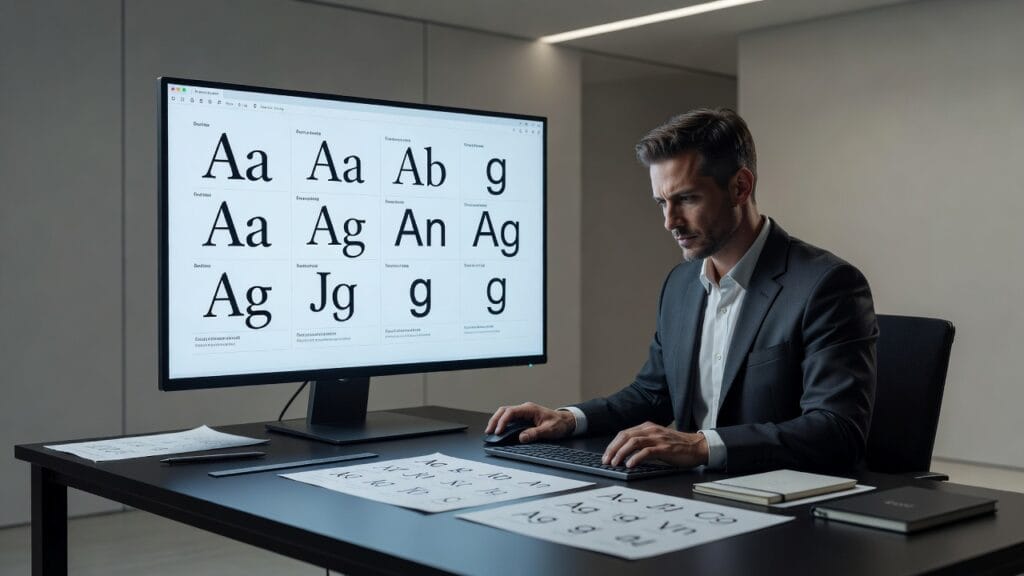
Article Title:
Findfont Made Simple: How to Identify Fonts from Images, Websites, Logos, and PDFs
Typography can completely change how a design looks and feels. You might come across the perfect typeface on a website, advertisement, product package, poster, or social media graphic, only to discover that the font name is nowhere to be found. Instead of manually browsing thousands of typefaces, a Findfont workflow can help designers, developers, marketers, and everyday users identify a font or discover a visually similar alternative far more efficiently.
Modern font identification combines image recognition, computer vision, browser inspection tools, searchable typeface databases, and increasingly, artificial intelligence. Depending on where you discovered the typography, identifying it may take only a few clicks. Text displayed on a live website can often be inspected directly, while lettering inside an image may require visual recognition software.
Accurate identification still depends on the quality of the source material. Customized logos, heavily modified characters, handwriting, variable fonts, and low-resolution screenshots can make exact matching difficult. Understanding which identification method fits each situation can save considerable time.
This guide explores seven effective ways to identify fonts, explains how font recognition technology works, and provides practical advice for selecting, licensing, and using the typeface you find.
What Is Findfont?
Findfont refers broadly to the process or tools used to identify an unknown typeface from visual or digital material. Users may want to determine a font from a photograph, screenshot, webpage, PDF, logo, printed document, or other source.
A typical font finder analyzes characteristics such as:
- Character shapes
- Stroke width
- Letter spacing
- Serif structure
- Curvature
- Character proportions
- Weight and style
The resulting visual information can then be compared against known typefaces to suggest possible matches.
Why Font Identification Matters
Typography is an important element of visual communication.
Designers regularly identify fonts when:
- Recreating older branding materials.
- Maintaining visual consistency.
- Researching design inspiration.
- Building websites from approved mockups.
- Updating marketing materials.
- Finding substitutes for unavailable fonts.
- Identifying licensing requirements.
Finding the correct typeface early can prevent inconsistencies across an entire design project.
1. Findfont from an Image or Screenshot
Image-based font identification is one of the most common approaches.
Users typically upload a screenshot or photograph containing the unknown text. Recognition software isolates the lettering and compares its visual characteristics with a database of known fonts.
For stronger results, prepare the image carefully.
Use High-Resolution Text
Clear characters provide recognition algorithms with more information.
Blurry screenshots can make similar typefaces difficult to distinguish.
Keep Text Horizontal
Straight text is generally easier to analyze than heavily rotated or distorted lettering.
Increase Contrast
Dark lettering on a light background, or vice versa, helps separate characters from surrounding graphics.
Include Several Characters
A word containing distinctive letters usually provides more useful information than a single character.
For example, lowercase “g,” “a,” and “e” can contain distinctive structural features that help differentiate similar fonts.
2. Identify a Font on a Website
Finding a typeface used on a live webpage is often easier than analyzing an image because the browser may already contain the relevant CSS information.
Desktop browsers provide developer tools that allow users to inspect individual page elements.
The general process is:
- Right-click the text.
- Select the browser’s inspection option.
- Locate the selected HTML element.
- Review its CSS styles.
- Look for the
font-familyproperty. - Check which font file is actually being rendered.
Websites sometimes define several fallback fonts, so the first listed font may not necessarily be the one displayed on every device.
Browser extensions can also simplify this process by displaying typography information when you hover over page text.
3. Findfont from a PDF
PDF documents can contain embedded font information, making identification relatively straightforward in some cases.
A PDF reader or document-properties tool may list the fonts embedded within the file.
However, identification becomes harder when:
- Text has been converted to outlines.
- The PDF contains only scanned pages.
- Typography appears inside raster images.
- Font information was removed during export.
When embedded information is unavailable, export or screenshot a clear section and use image-based recognition.
4. Identify Fonts from Logos
Logo typography presents a special challenge because many logos do not use untouched commercial fonts.
Designers frequently modify existing typefaces by:
- Adjusting individual letters.
- Changing spacing.
- Extending strokes.
- Combining characters.
- Drawing custom letterforms.
As a result, a Findfont tool may return a close commercial typeface rather than the exact lettering.
For logo recreation, determine whether you actually need an exact match. A visually compatible typeface may be more practical, particularly when the original logo lettering was custom designed.
Do not assume finding a similar font grants permission to reproduce a protected logo or trademark.
5. Identify a Font Manually
Automated recognition is convenient, but understanding typography helps narrow difficult searches.
Start by identifying the broad classification.
Serif
Serif typefaces include small finishing strokes around letters and are common in publishing, editorial design, and traditional branding.
Sans Serif
Sans serif fonts lack these decorative strokes and frequently appear in websites, applications, technology branding, and modern graphic design.
Script
Script styles resemble handwriting or calligraphy.
Display
Display typefaces typically contain distinctive decorative characteristics intended for headings, posters, packaging, and branding.
After determining the category, examine distinctive characters.
Look closely at:
- The lowercase “a”
- The lowercase “g”
- The uppercase “R”
- Numbers
- Punctuation
- Width of the “M”
- Shape of the “Q”
These details can quickly eliminate many possibilities.
6. Use AI for Font Recognition
Artificial intelligence has improved visual pattern recognition, making it increasingly useful for typography analysis.
AI-powered systems can compare the structural characteristics of lettering across large font collections and produce likely matches.
An advanced Findfont system may evaluate subtle features such as character geometry, stroke terminals, spacing, contrast, and proportions.
AI can also help when an exact match cannot be found by suggesting alternatives with similar visual characteristics.
However, AI-generated answers should still be verified against official font specimens, particularly for professional design projects.
7. Find Similar Font Alternatives
Sometimes identifying the exact font is less important than finding an appropriate substitute.
The original typeface may be:
- Expensive.
- Discontinued.
- Unavailable for your platform.
- Restricted by licensing.
- Custom designed.
In these situations, compare alternatives based on more than general appearance.
Consider:
- Character width
- x-height
- Weight availability
- Italic styles
- Language support
- Variable font support
- Web performance
A close visual replacement that lacks the necessary character set or licensing terms may not be suitable for the project.
How Font Recognition Technology Works
Modern recognition systems commonly combine computer vision with large typography databases.
The software first isolates text from the image. It then measures distinguishing characteristics before comparing those measurements with known specimens.
Potential matching signals include:
- Stroke geometry
- Character height
- Letter proportions
- Terminal styles
- Counters
- Curves
- Spacing patterns
Machine-learning systems can make this process more flexible by recognizing visual similarities even when the uploaded sample differs somewhat from database examples.
Why Findfont Results Are Sometimes Wrong
Automated identification is not perfect.
Two different typefaces may have extremely similar characters, particularly among common geometric sans serifs or traditional serif families.
Results may also be affected by:
- Poor image quality.
- Heavy compression.
- Unusual perspective.
- Text effects.
- Custom modifications.
- Very short samples.
- Variable font settings.
Treat automated matches as candidates rather than unquestionable answers.
Font Licensing Matters
Identifying a font does not automatically give you the right to use it.
Fonts are software products and may have specific licensing terms covering different applications.
Common license categories include:
- Desktop use
- Webfonts
- Applications
- eBooks
- Digital advertising
- Commercial branding
Review the type found through a Findfont search on the type designer’s, foundry’s, or authorized distributor’s website before using it commercially.
Choosing Fonts for Websites
If the ultimate goal is web design, visual appearance is only one consideration.
Web typography should also account for:
Performance
Large font files and unnecessary weights can increase page size.
Readability
Body text should remain comfortable to read across different screen sizes.
Responsive Design
Typography should adapt cleanly between desktop and mobile displays.
Fallback Fonts
A suitable fallback helps preserve usability if the primary webfont cannot load.
Findfont for Brand Consistency
Businesses often need to identify typography when updating legacy marketing materials or bringing disconnected designs into a unified brand system.
Once the typeface is confirmed, document it in a brand style guide.
Include:
- Font family.
- Approved weights.
- Heading styles.
- Body typography.
- Line spacing.
- Letter spacing.
- Digital fallback options.
This reduces the need to repeat font identification work later.
Common Font Identification Mistakes
One common mistake is accepting the first automated result without comparing individual characters. Review multiple distinctive letters before concluding that the match is correct.
Another is confusing different weights within the same family. Regular, medium, semibold, and bold can appear surprisingly different.
Designers should also avoid downloading font files from unknown websites simply because a search result claims to provide them. Use reputable foundries and authorized distributors to reduce licensing and security concerns.
Finally, remember that typography seen in a logo may be customized rather than commercially available.
The Future of Findfont Technology
Font discovery is likely to become easier as visual AI improves.
Future systems may combine image analysis with contextual information to identify not only a font family but also its precise weight, width, optical size, and variable-font settings.
Design software may increasingly incorporate identification directly into editing workflows, allowing users to capture typography from an image and immediately compare licensed alternatives.
AI may also become better at distinguishing customized lettering from standard fonts, helping designers recognize when searching for an exact commercial match is unlikely to succeed.
Despite these advances, professional judgment will remain valuable because font selection involves aesthetics, readability, licensing, and brand context—not just visual similarity.
Conclusion
Findfont techniques can dramatically simplify the process of identifying typography from images, websites, PDFs, logos, and printed materials. Image recognition and AI are useful when only visual examples are available, while browser developer tools and PDF properties can reveal precise information when font metadata remains embedded in digital documents. Because automated matching is not always exact, users should compare distinctive characters and verify candidates against reliable type specimens before committing to a selection. Equally important, identifying a typeface does not grant permission to use it, so checking licensing terms should always be part of a professional workflow. With the right combination of technology, visual analysis, and verification, finding an unknown font can become a fast and dependable part of the design process.
FAQs
What is Findfont used for?
Findfont is used to identify unknown fonts or find close alternatives from images, websites, PDFs, logos, photographs, and other visual sources.
Can I identify a font from a screenshot?
Yes. A clear, high-resolution screenshot with several readable characters generally provides the best input for image-based font recognition.
How can I find the font used on a website?
Use your browser’s developer tools to inspect the relevant text and review its CSS font-family information and rendered font details.
Can AI identify any font accurately?
AI can identify or suggest many fonts, but results are not guaranteed. Custom lettering, low-resolution images, and visually similar families can make identification difficult.
Why does a font finder return several matches?
Many typefaces share similar visual characteristics. Recognition tools may therefore provide multiple candidates instead of a single definitive match.
Can I commercially use a font after identifying it?
Only if the applicable license permits your intended use. Check licensing terms with the type foundry or an authorized distributor before using a font commercially.